

Farming CRT
Farming CRT is a keyboard-first second interface for scanning Agents, Chat, Terminal, Search, and History. It connects to the same backend as Farming Code and does not create another set of Sessions.
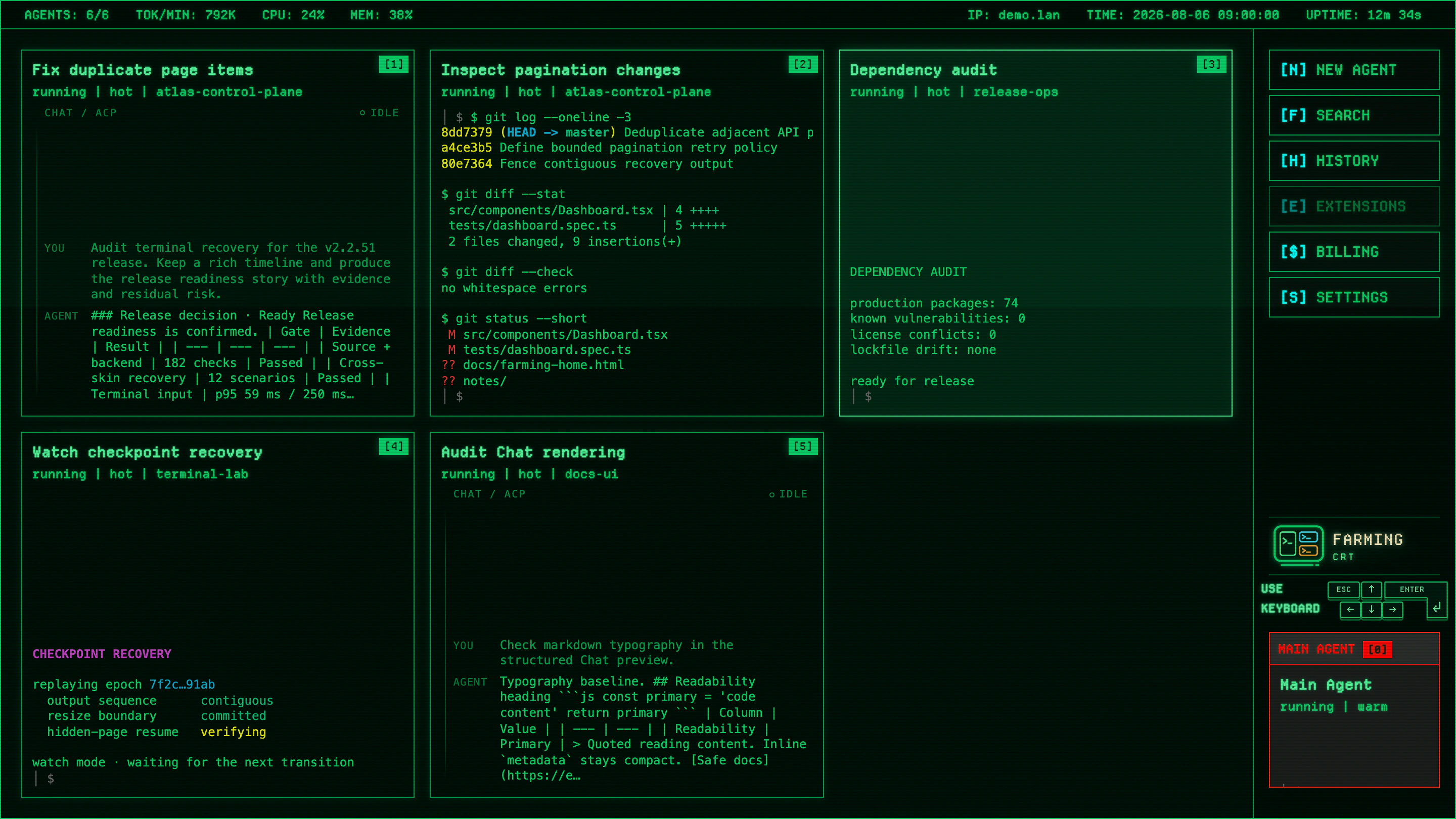
Main control screen
The main screen arranges Projects and Agent states into a compact control room. Scan running state, unread activity, and current tasks before opening an Agent.
Chat
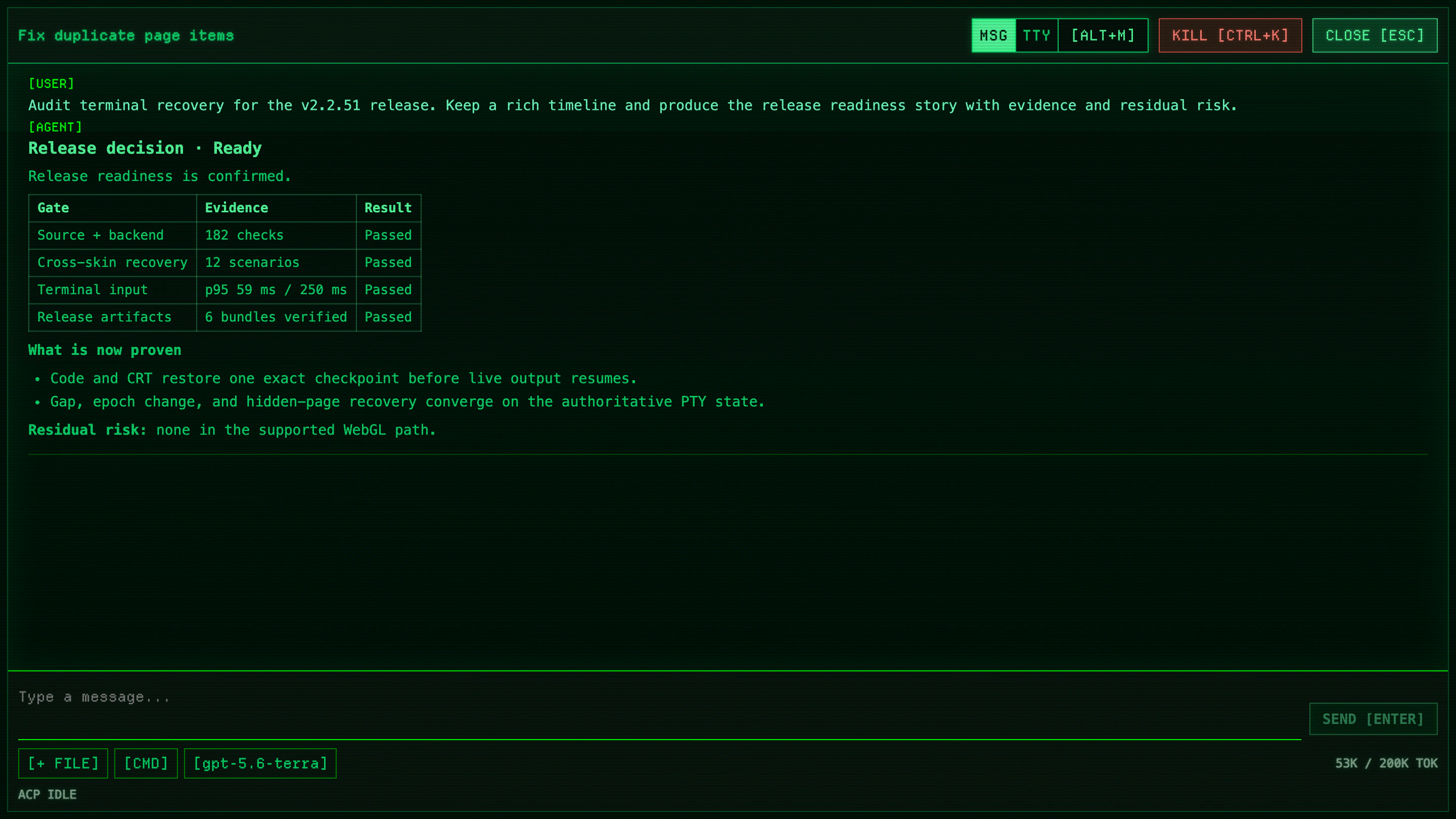
Agents with structured Chat show messages, progress, and a Composer while retaining keyboard-first navigation.
Terminal
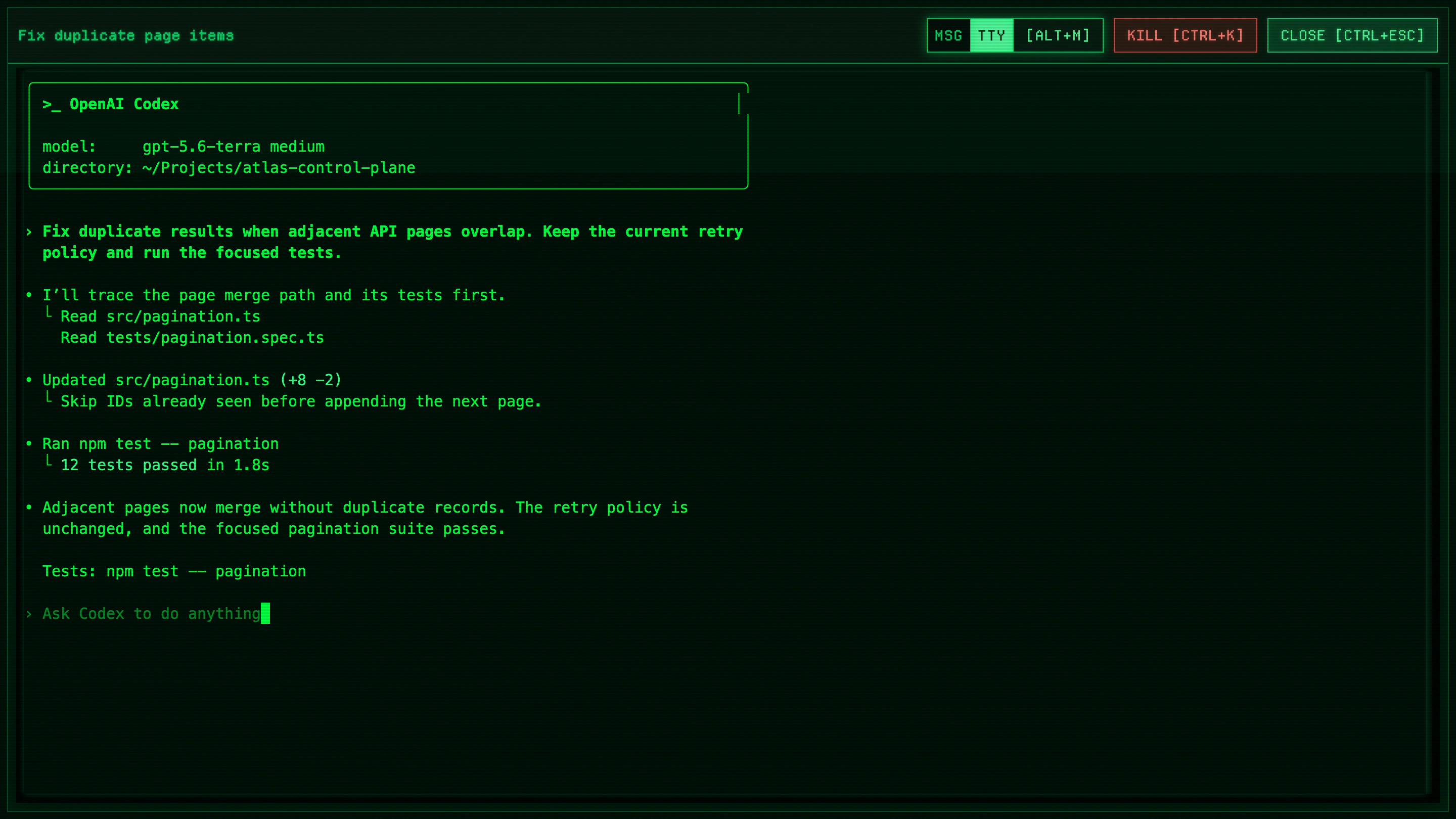
Terminal connects to the same native PTY Session for complete output and native coding CLI interaction.
Token usage
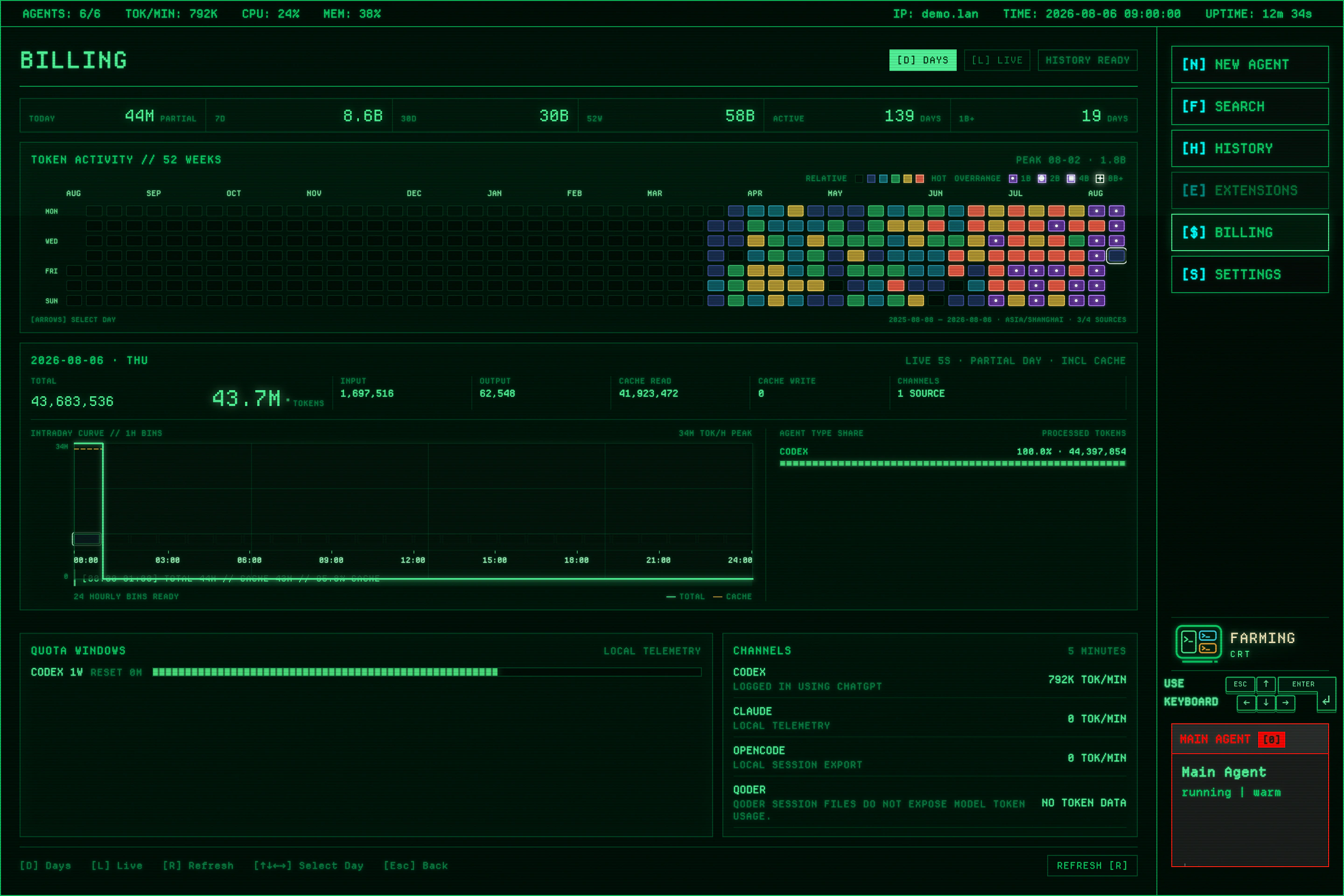
The Token view summarizes current Provider activity and historical usage to reveal active periods, trends, and unusual peaks.
When CRT fits
Use CRT when live output, task state, and fast keyboard switching are the main signals. Return to Farming Code to browse or edit Project files.
Open CRT
In Farming Code, open Settings → Interface and select Farming CRT. Code and CRT store interface preferences separately. Switching does not stop Agents or change their Project, Provider, or permissions.
Common keys
| Key | Action |
|---|---|
Arrow keys / Enter | Select and open an Agent |
0 | Open the Main Agent |
N | Start an Agent |
F | Open Search |
H | Open History |
$ (Shift+4) | Open Billing (Token usage) |
E | Open Extensions |
Ctrl+Escape | Close the current Chat or Terminal |
Alt+M | Switch a supported Agent between Chat and Terminal |
S | Open Settings |
The CRT main screen also displays shortcuts available in the current version.
Suggestions
- Give Agents short titles that describe their goal.
- Scan state before opening detailed output.
- Return to Farming Code for long-form reading.
- Archive finished work to keep the control room stable.